14. Installation
How DirectLink is delivered and installed will be announced with the first public release.
Once DirectLink is installed, enable it in TelemFFB:
- Start TelemFFB and open System → System Settings.
- On the System tab, under Integrations, turn on DirectLink for TelemFFB.
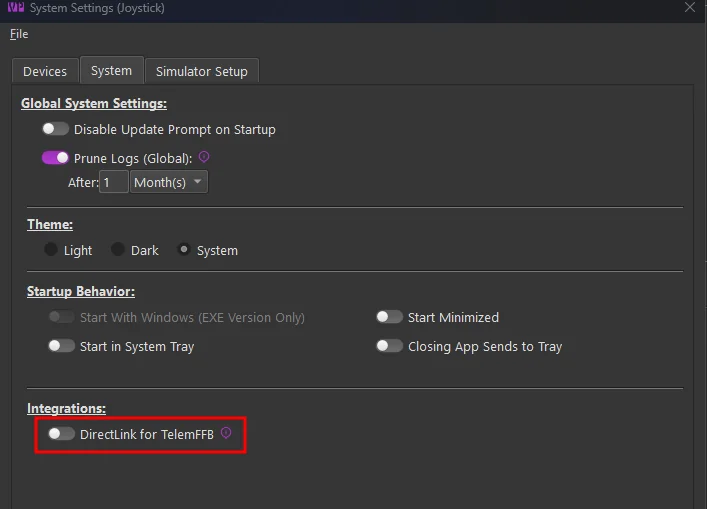
A status line below the toggle reports the installed DirectLink version.
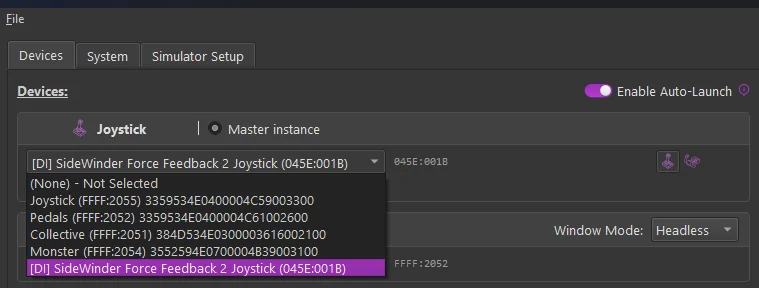
Your DirectInput devices now appear in the device selectors on the Devices tab, marked with a [DI] prefix - in every role’s selector: joystick, pedals, collective, and trim wheel. Selecting one is covered in Devices & Instances; the per-role axis choice that appears with a [DI] selection is covered in Using DirectLink.
14.1 Version pairing
Each TelemFFB release declares the oldest DirectLink build it works with. If the installed DirectLink is older, TelemFFB refuses to enable DirectInput support and names both versions; the fix is to install a current DirectLink build. Updating follows the same route as installing, and the status line reports which version is in place.